Deck and Pairing Questions
These concise answers use the same wording captured during product exploration. Follow the linked guide when you need fuller context or step-by-step instructions.
How do I create a deck?
Open Decks, choose Create deck, enter a title and optional description, and confirm; the new deck opens immediately.
Why does a deck separate front and back faces?
Back faces anchor sets; front faces become entries, so the source panel separates them.
How do deck groups, sets, and entries relate?
Groups contain sets; sets use back faces; entries are front faces with quantities.
Why is deck Export disabled?
Export is disabled while the deck has no sets and becomes available after the first back face creates a set.
How do I pair a front card with its back?
On the saved back, open Pairing, Manage paired fronts, select fronts, and Confirm.
Can one back be shared by several front cards?
A back can pair with multiple fronts; the pairing picker is multi-select.
Why does the front card look disabled in the pairing picker?
Pair tiles work with pointer input but incorrectly expose aria-disabled=true because drag is disabled in pair mode.
How do I turn a paired back into a deck set?
Drag the back onto the visible empty card slot inside Groups; the back becomes a set and paired fronts are added automatically.
How do I use collections to filter front and back cards while building a deck?
In a deck's source panel, switch to Back faces or Front faces, then choose a collection from Collections; only collections and cards eligible for that face mode are shown.
What keyboard shortcuts can I use while editing a deck?
In deck detail, E toggles the enabled Export menu; with it open, I starts image export and P starts PDF export.
What is the Decks workspace for?
Decks turns saved front and back cards into organized, quantity-aware structures for play, image export, and printable PDF planning.
What am I seeing in the Decks list?
The Decks list provides search, Create deck, selection and deletion, plus per-deck previews and Open, Edit, and Delete actions.
What am I seeing inside an open deck?
An open deck contains Groups and Entries boards, an Export control, and a collapsible source panel for faces, preview, and deck information.
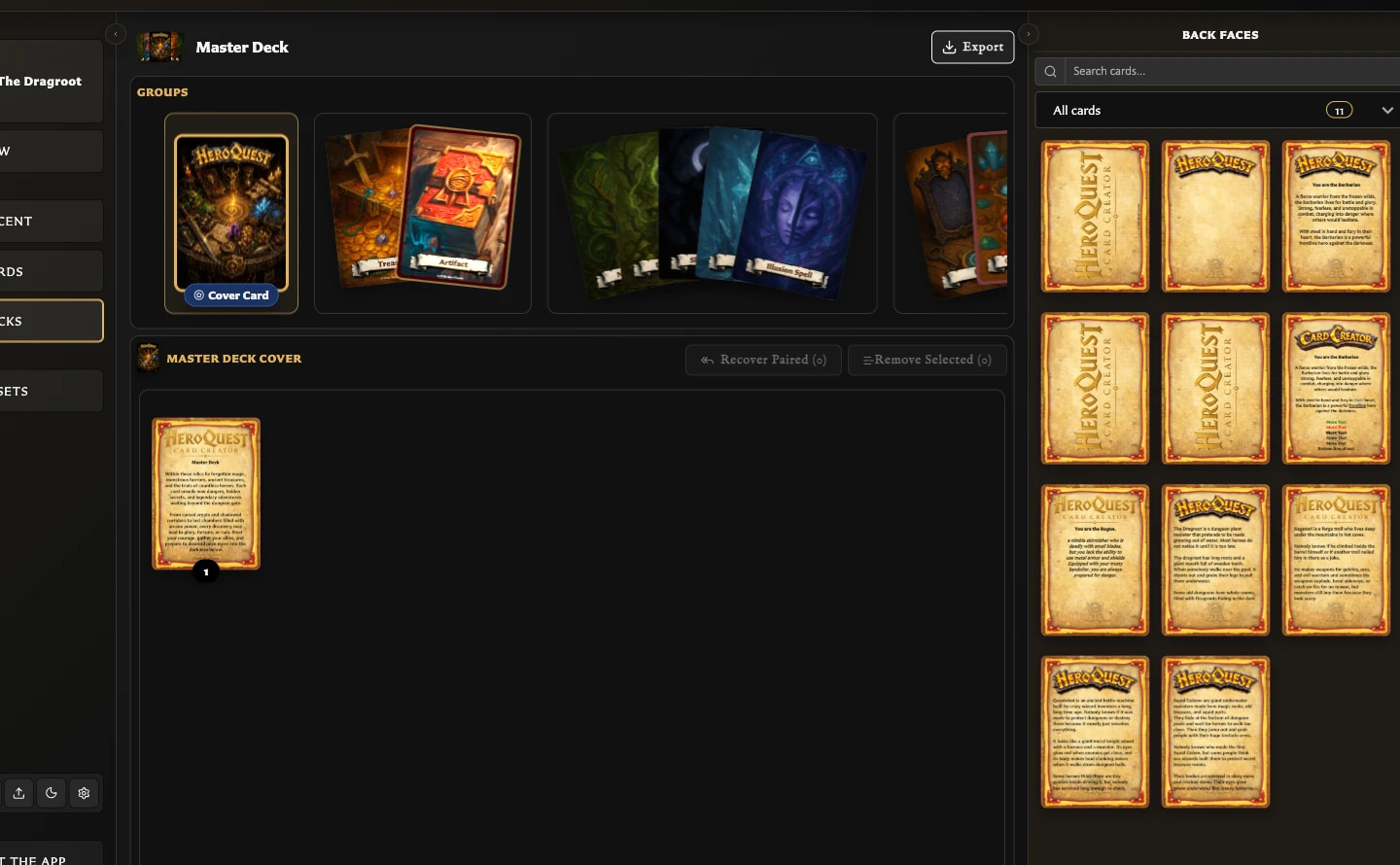
What can I use the deck source panel tabs for?
Back faces supplies set backs, Front faces supplies entries, Preview renders the deck, and Deck Info summarizes structure and export planning.
How do I create a set and add a front-facing card?
Drop a back onto the empty slot in Groups, select its set, then drop a front onto the empty slot in Entries.
What happens when a paired back is added to a deck?
Creating a set from a paired back automatically adds all fronts currently paired with that back as entries.
How do I change the number of copies of a deck entry?
Use Increase quantity and Decrease quantity on an entry; Deck Info reflects the resulting quantity total.
What does Deck Info show?
Deck Info shows dates, group/set/entry counts, unique image totals, PDF pair and quantity totals, and paired fronts missing from sets.
Does deleting a deck delete its saved cards or pairings?
Deleting a deck removes only its organization; its saved cards and their pairings remain available.
What can I see and do in the Pairing tab?
Pairing summarizes the current relationships, offers face-appropriate management controls, and displays paired faces that can be opened in the editor.
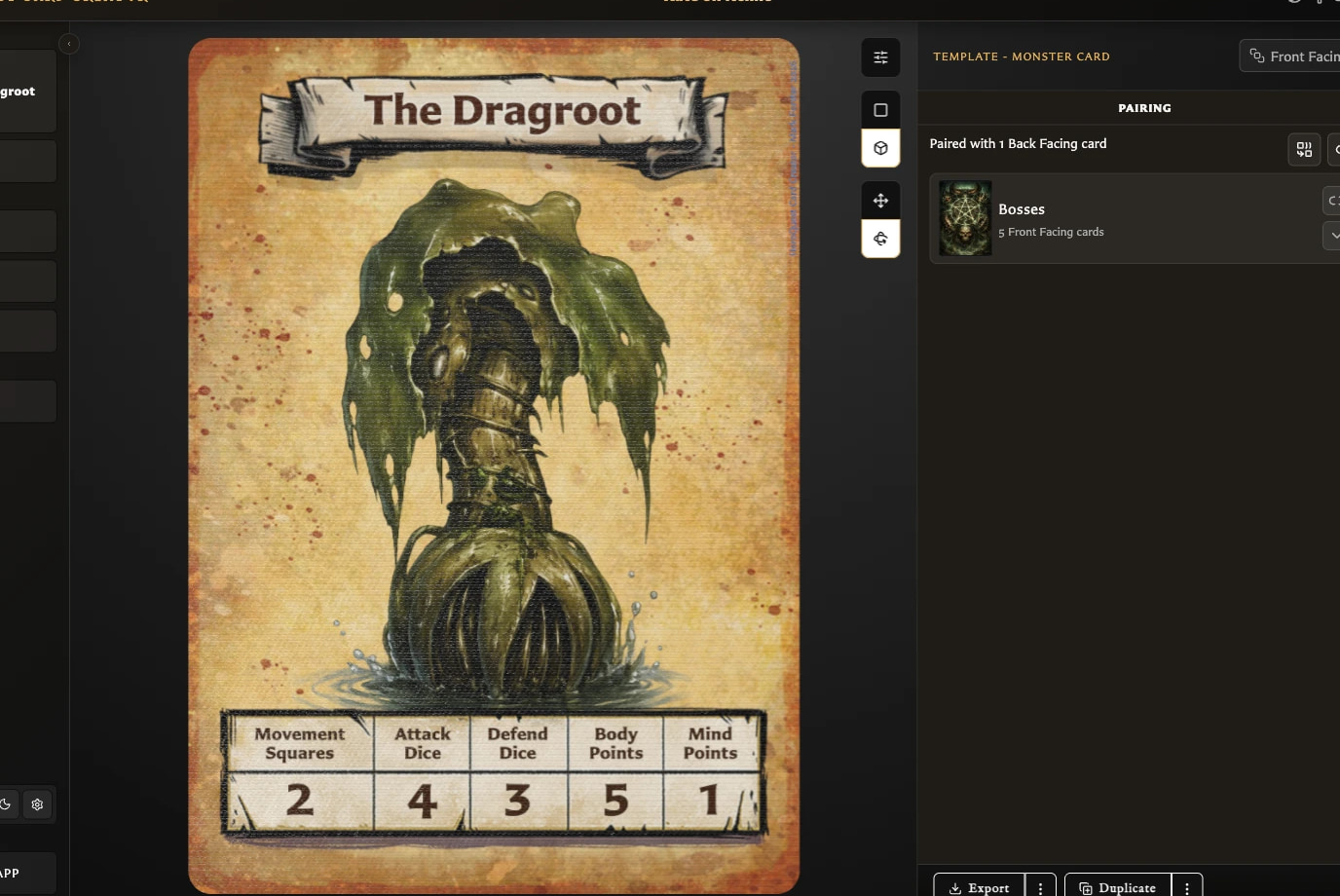
Why do I have to save a card before pairing it?
Pairings attach to saved cards, so a draft shows a save-first notice and disables its pairing control until the first successful Save.
Can one front card be paired with more than one back?
A saved front can select and retain one or several saved back-facing cards.
How do I pair one back with several fronts?
On a saved back, choose Manage paired fronts, select any number of saved fronts, and Confirm.
How do I open a paired card from the Pairing tab?
Choose a paired thumbnail in the Pairing tab to open that front or back in the Card Editor; unsaved changes are protected first.
How do I change the fronts or backs already selected for a pairing?
Reopen the face selector, change its preselected cards, and Confirm; the new selection replaces that face's previous set of relationships.
How do I remove one back pairing from a front?
On a front, choose Unpair back card beside one back and confirm; other relationships remain intact.
How do I unpair a front from every back?
On a front, choose Unpair from all back facing cards, review the impact, and confirm to remove every back relationship for that front.
Why does the app warn before removing pairings?
Confirmation protects against removing one or several relationships unexpectedly and reports deck consequences when present.
What happens if I remove a pairing used by a deck?
Confirming removal of a pairing used by a deck also removes deck entries that depend on that exact relationship; the saved cards remain.
Can I inspect an affected deck before unpairing?
A pairing-in-use warning provides Open deck to inspect the first affected deck and set before continuing.
What happens to pairings if I change a card between front- and back-facing?
Changing a saved card's face role warns before removing invalid pairings and reports dependent deck locations before applying the change.
Does starting a card with a different template transfer the current pairings?
New starts another card or draft; pairings remain with the original saved card and must be created separately after the new card is saved.
What can I do from the Decks list?
The Decks list supports search, creation, selection, opening, editing, and deletion, with a visual preview for each saved deck.
Can deck search find a deck by one of its card titles?
Deck search matches both deck titles and titles of cards used inside decks.
How do I change a deck's title or description?
Use a tile's Edit action to change its required title or optional description, then Save.
How do I select and delete several decks?
Use Ctrl/Command-click for additive selection, then Delete selected; deletion removes deck organization but preserves cards and pairings.
Can I duplicate a deck?
Deck duplication is not available in the v0.8.0 Decks screen, although the v0.6.0 release documentation described it as available.
Why do sets overlap or expand in Groups?
Multi-set groups use overlapping card fans: pointing partially spreads them and selecting a set expands its group and targets Entries.
How do I create another group?
Drop a back at the right-side new-group position to create another group around a new set.
Can I name sets or groups, or reorder groups?
Groups and sets have no separate names, and groups are not reordered; sets are identified by backs and can be moved within or between visual groups.
How do I reorder a set or move it to another group?
Drag a set to another insertion position in its group, another group, or the new-group position.
How do I choose the deck's cover card?
Choose Set cover card on an expanded set; it becomes the single prominent cover set in deck previews.
How do I edit the back-facing card used by a set?
Choose Edit card on an expanded set to open its back-facing card in the Card Editor.
Can I change the back used by an existing set?
The v0.8.0 deck workspace does not expose the earlier documented Change back flow; recreate the set with the required back instead.
What happens when I delete a set?
Deleting a set removes that set and its entries but preserves saved cards and pairings; it also clears that set as the cover when necessary.
How do I reorder deck entries and change their quantities?
Drag entries to reorder them and use the quantity controls to choose 1 through 12 copies for quantity-aware planning.
How do I select and remove several entries?
Use Ctrl/Command-click to select entries, then Remove Selected and review the bulk confirmation.
What is the difference between Remove from set and Remove and unpair?
Remove from set keeps pairings and permits recovery; Remove and unpair removes each matching pairing as well as its entry.
What does Paired (Not In Set) mean?
Paired (Not In Set) counts unique fronts still paired to the selected back but currently absent from that set's Entries.
How do I recover paired fronts into a set?
Choose Recover Paired, select one, several, or all listed fronts, then Recover Selected to recreate their entries.
What happens if I drop a card or set outside a valid target?
An invalid or outside drop makes no structural change; use the visible slot or insertion position for the intended board.
What happens when moving or deleting the final set empties a group?
Empty source groups are removed after their final set moves or is deleted when other groups remain; the only empty group is retained as a starting slot.
Can the same back card anchor two sets in one deck?
One back card can anchor only one set within the same deck.
Why do the deck export shortcuts do nothing?
E requires an exportable open deck; I and P require its Export menu to be open before they choose images or PDF.