View Your Recent Cards
Use Recent when you want to quickly return to a saved card that you opened before.
Open a recent card
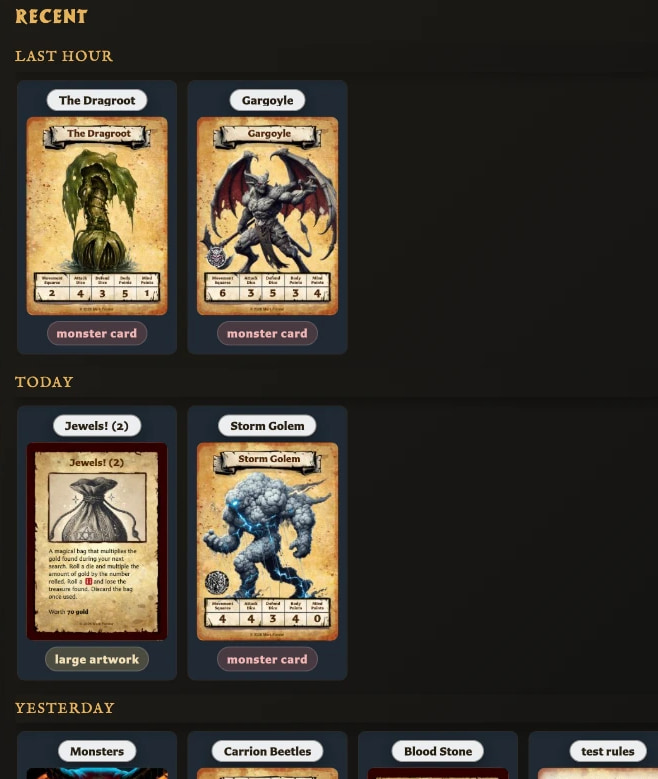
- Choose Recent in the left navigation. It uses a clock icon.
- Find the card in the list.
- Choose the card to open it in the editor.
The Recent window closes after the card opens. Choose Close if you want to leave the window without opening another card.
What counts as recent?
Recent is based on when a saved card was last viewed or opened. It is not a history of cards changed within each period.
Cards are shown with their name, thumbnail, and card type. The most recently viewed cards appear first and are divided into these time groups:
- Last hour
- Today
- Yesterday
- This week
- This month
- Older
Only groups containing cards are displayed.
Recent window versus Recent in Cards
The Recent button in the left navigation opens the quick picker described above. The Cards workspace also contains a Recent option in its Collections panel; that option keeps you in the full Cards workspace and filters the library to recently viewed cards.