Collections
Collections help you organize saved cards and work with related cards as a group. They are useful for projects, themes, card types, work stages, quests, expansions, or any other grouping that makes your library easier to use.
Frequently asked questions
What is a collection?
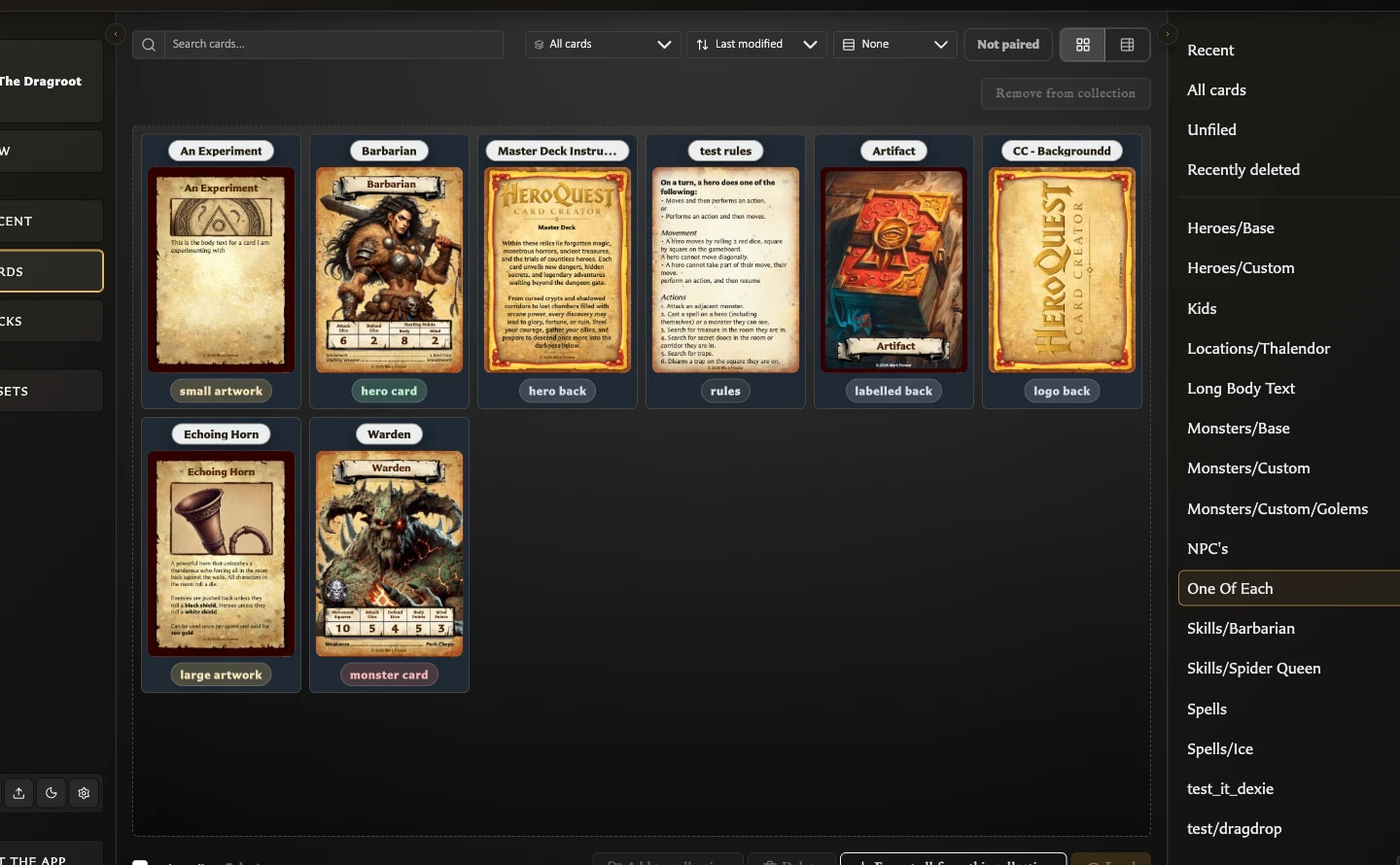
A collection is a named group of saved cards. Membership does not move or duplicate a card: the card remains in All cards and can belong to more than one collection.
What are collections used for?
Use collections to:
- Find and filter related cards in Cards.
- Add, remove, or review several cards as a group.
- Export every card in a group or a selected subset.
- Narrow the front-facing or back-facing source cards shown while building a deck.
When should I use a collection?
Use one whenever you want a flexible label or project grouping without changing the cards themselves. Examples include Quest 1, Needs artwork, Treasure cards, or Print next.
Use a deck instead when you need quantities, ordering, shared back faces, groups, sets, entries, or structured PDF output. A collection can help you find the cards for a deck, but it is not itself a deck.
Where can I find my collections?
Open Cards. The Collections panel appears on the right and lists Recent, All cards, Unfiled, and each named collection with a card count. On a narrow screen, open the Collections drawer from the Cards toolbar.
What does Unfiled mean?
Unfiled contains saved cards that do not belong to any named collection. It is a useful way to find cards you have not organized yet.
Does removing a card from a collection delete it?
No. It removes only that collection membership. The card remains in All cards and appears in Unfiled if it has no other collection memberships.
Can deleting a collection delete its cards?
No. Deleting a collection removes the grouping. Its cards remain saved, and cards with no remaining memberships become Unfiled.