Organize and Recover Cards
The Cards workspace is your saved-card library. Search, filters, collections, and selection change how cards are displayed or organized; they do not edit the card artwork itself.
For a complete tour of the screen and its contextual actions, see Understand the Cards Workspace.
If cards appear missing or an action is unexpectedly unavailable, see Fix Cards Workspace Problems.
Find cards
- Use Recent in the left navigation to quickly reopen a card you viewed before.
- Search by saved-card name or printed title.
- Filter by template type.
- Filter by pairing status with All, Not paired, or Paired.
- Sort and group the current results.
- Switch between Grid and Table views.
- Use Recent, All cards, Unfiled, named collections, and Recently deleted in the Collections panel.
Use Not paired when you are looking for cards that still need a matching face. Use Paired when you want to review cards that already have pairing work in place.
Select cards
Click a card once to select it. Use Ctrl or Cmd while clicking to build a multi-selection, or use Select all/none. Selection enables actions such as Add to collection, Delete, Export, and Load. Load is only meaningful for one selected card.
Double-click a card when you want to open it immediately.
Create and use a collection
Collections provide named, reusable groups for filtering and exporting saved cards. See Collections FAQ and Guides for creation, multi-card adding, drag-and-drop, removal, tree view, export, and deck-source filtering.
Recover a deleted card
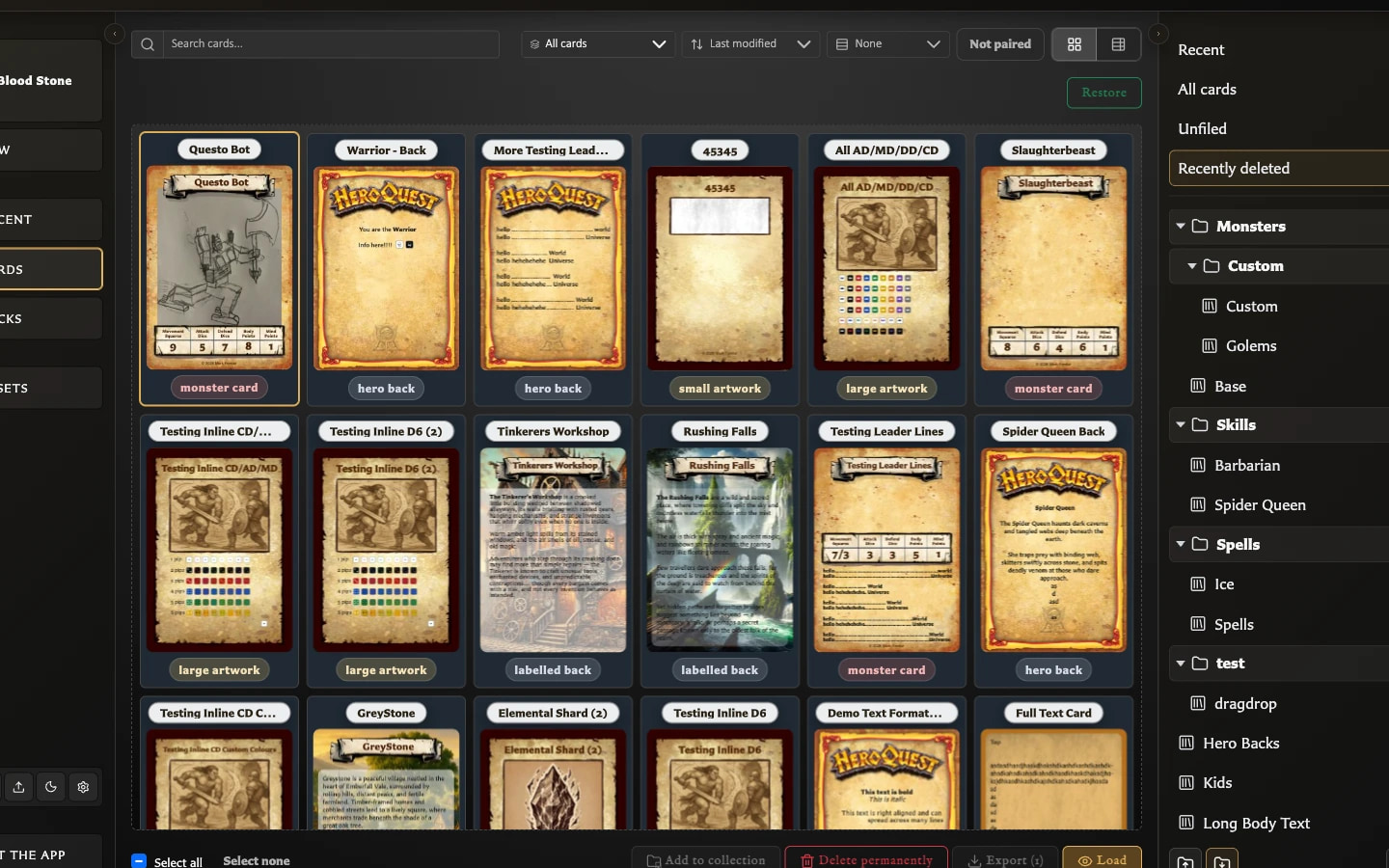
- Select the card and choose Delete.
- Choose Move to recently deleted.
- Open Recently deleted.
- Select the card and choose Restore.
Restoring returns the card to the normal library but does not automatically reopen it in the editor.
Permanent deletion warning
Delete permanently cannot be undone and can affect pairings, deck membership, and collection references. Version 0.8.0 exposes permanent deletion both in Recently deleted and in the normal Delete confirmation. Prefer the recoverable option unless permanent removal is intentional.
Moving a card to Recently deleted hides it from normal library results but keeps it available for restoration. Permanent deletion removes it from collections, removes its pairings, and removes affected deck entries or sets. An empty deck group may also be removed, while the deck itself remains. Review any additional usage warning before confirming.
Bulk export
Select the cards you want and choose Export. Bulk export creates one ZIP containing the generated card images. The export can operate on a selection, filtered view, or collection and may ask whether paired faces should be included.