Format Card Text
Open Formatting help beside the Card text field for live examples supported by the current version.
Basic emphasis
**bold text**
*italic text*
***bold italic text***
Equivalent rich-text tags such as <b>, <i>, <u>, and <color=#ff0000> are also supported. Tags can be nested.
Size and headings
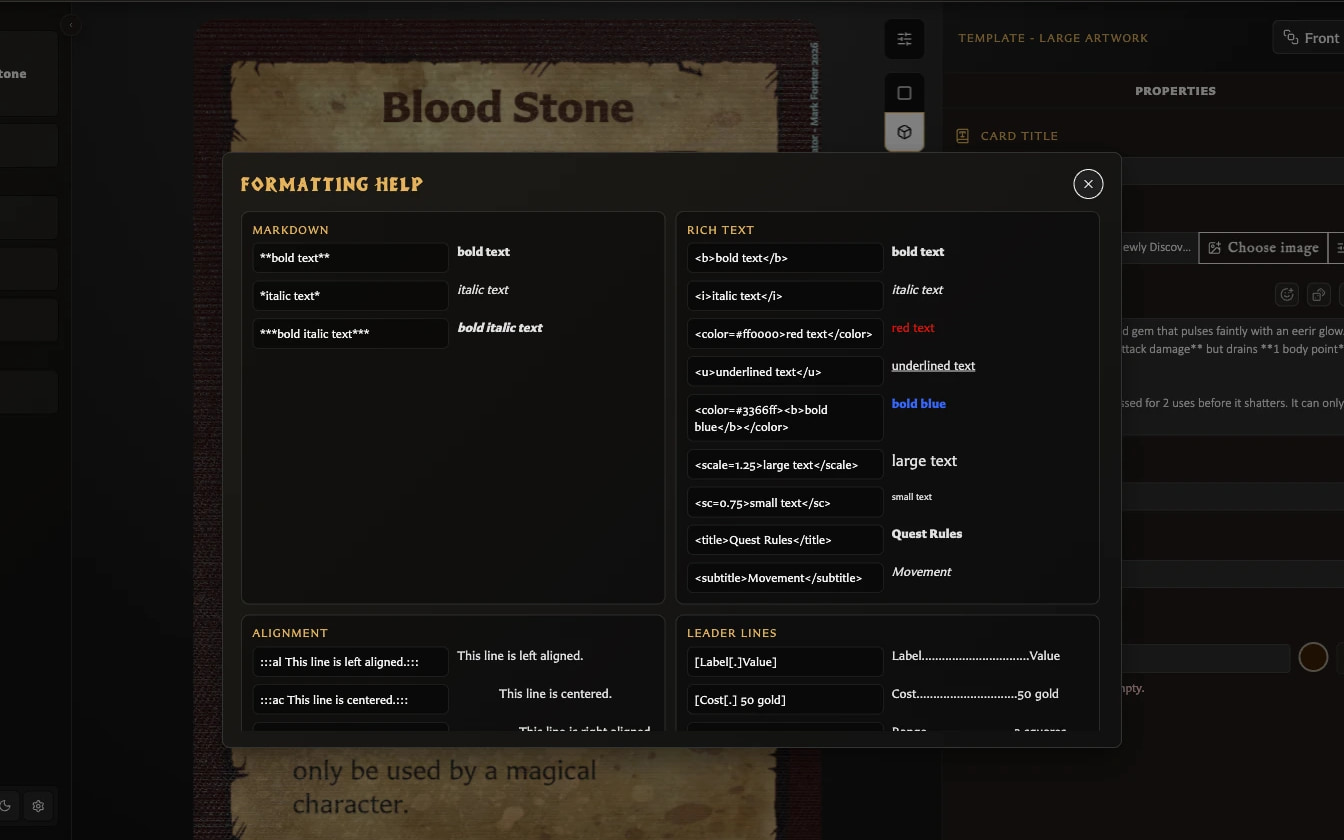
<scale=1.25>larger text</scale>
<sc=0.75>smaller text</sc>
<title>Quest Rules</title>
<subtitle>Movement</subtitle>
Alignment
Wrap a block with an alignment directive:
:::al Left aligned text.:::
:::ac Centred text.:::
:::ar Right aligned text.:::
Leader lines
Leader lines place a label and value at opposite sides with a repeated character between them:
[Cost[.] 50 gold]
[Weight[-] Light]
Multiple lines can be wrapped as a leader group when they need shared pivot and wrapping behaviour. Use the examples in Formatting help as the canonical syntax because malformed brackets are treated as ordinary text.
Inline dice
The simplest approach is Insert inline dice, which lets you choose the face and colours and preview the result. See Insert Emoji and Dice.
Dice are stored as compact tokens. Examples include:
&cd-s-w;
&cd-h-r;
&cd-m-bk;
&cd-ad-r;
&d6-6-w;
Combat faces include skull, hero shield, monster shield, combat die, attack die, defence die, and movement die. D6 tokens accept values 1-6. Named colours and hex colours are supported.
Text fitting
Two different controls solve different problems:
- Text fitting settings in the preview toolbar sets global minimum sizes and ellipsis preferences for titles and stat headings.
- Toggle scale to fit body text beside Card text controls body-text fitting for the current card.
Global fitting changes affect other cards. Per-card body fitting is saved with the card.
For supported templates, fitting behavior, paragraph spacing, and the Text clipped warning, see Fit Body Text on a Card. If the warning remains, see Fix Clipped or Overflowing Card Text.
For an explanation of the text field, emoji and dice pickers, backdrop controls, and why options vary by template, see Understand the Card Editing View.