Understand the Settings Window
Settings controls app-wide preferences and local library management. Use it when you want a choice to affect more than the card currently open, such as export defaults, card-label wording, collection organization, text fitting, copyright defaults, asset classification, appearance, or backups.
Open Settings from the left navigation. You can also press Q when keyboard shortcuts are available.
What you see
The Settings window has three main areas:
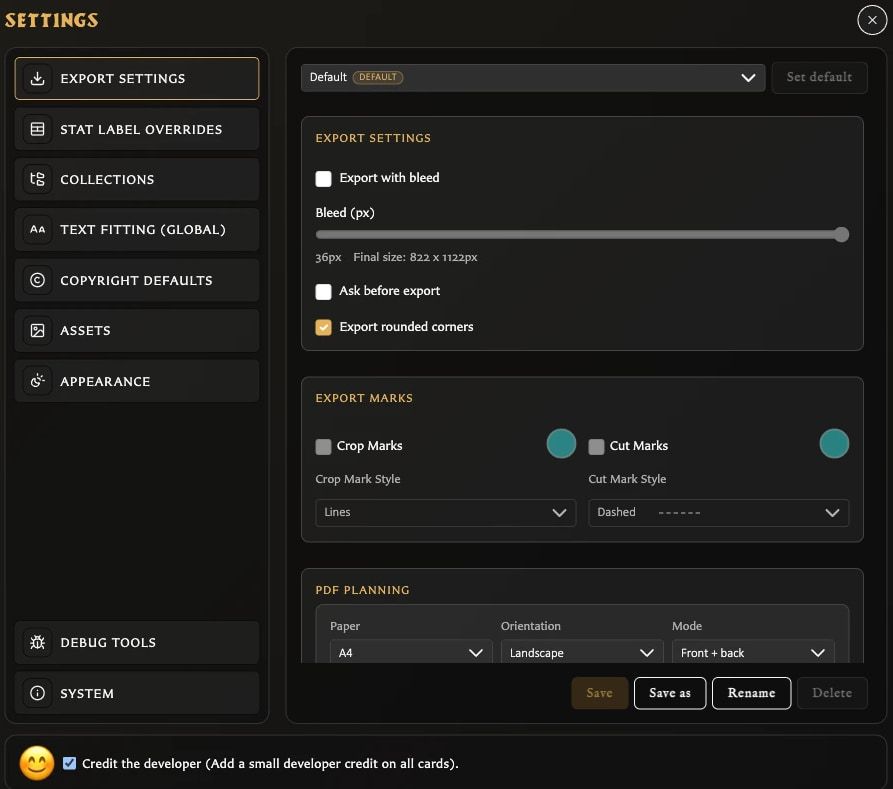
- The category list on the left chooses which group of settings is shown.
- The active panel on the right contains the controls for that category.
- Credit the developer remains available along the bottom of every category.
The normal categories are:
- Export Settings
- Stat Label Overrides
- Collections
- Text Fitting (Global)
- Copyright Defaults
- Assets
- Appearance
- Library
- System
Debug Tools can also appear in builds where diagnostics are enabled. It contains maintenance and destructive actions rather than normal card-creation preferences.
The Library category shows a summary of saved cards, decks, and assets. It also provides export, import, and start-new-library actions for the current local library.
How changes are saved
Settings do not all use one save method.
Changes that apply immediately
Most checkboxes, theme choices, text-fitting controls, copyright defaults, asset-classification preferences, and the developer-credit choice apply when you change them. Close Settings when you are finished.
Panels with an explicit Save action
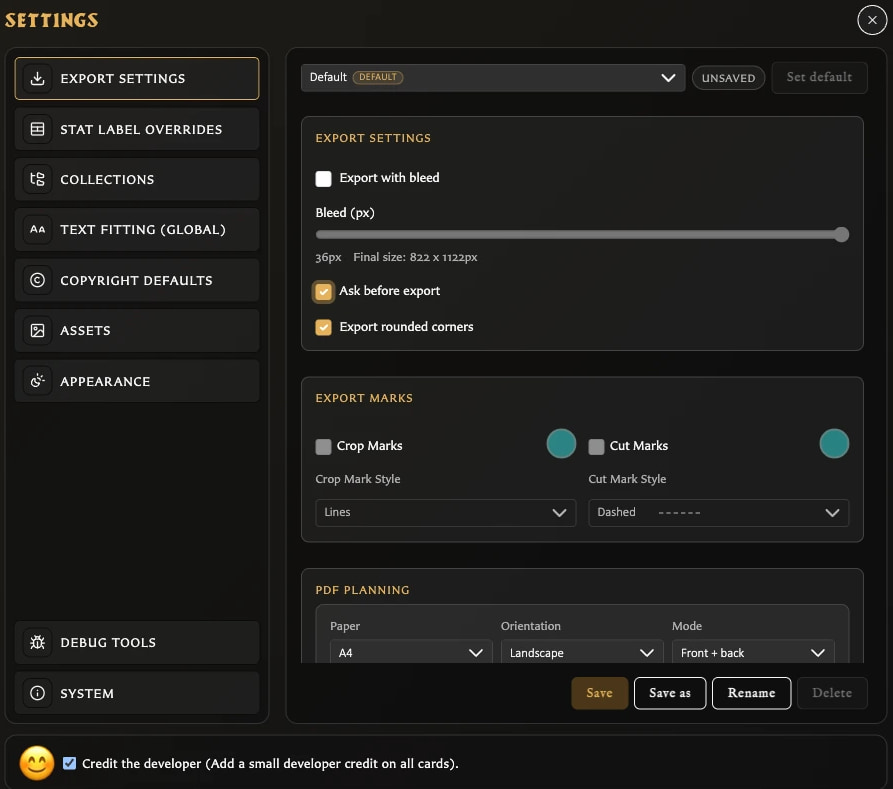
Export Settings and Stat Label Overrides can hold unsaved edits. If you try to close Settings or change category, the app opens Discard changes? and offers:
- Cancel to remain on the current panel.
- Save to keep the edits and continue.
- Discard to continue without keeping them.
An Unsaved indicator and enabled Save button identify a changed export profile. Stat labels have their own Save button.
What Settings does not do
Settings changes are preferences, not edits to the currently selected card unless the setting explicitly affects rendering or global labels. Defaults for new cards, such as copyright visibility, do not automatically rewrite every saved card.
The Language and quick Theme menus are in the left navigation rather than inside the Settings category list. Appearance also provides the full theme and numeral-style controls.